How To Valentine Video Download To Send In Email
How to Make a Valentine's Day Video for the Person you Dear?

Feb 28, 2022• Proven solutions
Finding ways to testify your feelings isn't always like shooting fish in a barrel. In fact, ownership presents for those you care about the nearly, won't necessarily reflect how you feel, so this twelvemonth you lot can try making something for them.
Creating a short Valentine's Solar day video shouldn't be too hard, particularly if you have a bully story to tell. Besides, a video is something that will concluding, and your significant other volition always be able to watch information technology no affair what the hereafter brings. So, in this commodity, we are going to show you how to brand a Valentine's Twenty-four hours video on your Windows PC or Mac, or simply with your mobile phones that will truly bear witness how you experience.
How to Make a Valentine's 24-hour interval Video on Windows and Mac
There are hundreds of video editing software for Windows and Mac computers you can use to create a Valentine's Twenty-four hour period video, but in this article, we are going to use Filmora equally an case. However, each of the steps we volition cover can be used in other video editors for Mac and Windows. Let's bank check how to brand a Valentine's Day video with Filmora.


1. It all starts with an Thought
Creating any type of video without having a well-adult thought is virtually impossible because you won't know which footage to use. Moreover, having an idea of how you want the final draft of the video to await will make it easier for you to select the footage you intend to apply during the video editing process.
Once you know exactly what you want to do you can start shooting or collecting the footage you are going to include in your Valentine'due south Day video. After you lot have all the video files you need, place them in i binder, launch Filmora, create a new projection and proceed to import the footage by dragging and dropping the files to the editor's Media tab.
2. Organize the Footage on the Timeline and Enhance the Colors
During the adjacent step, you lot should add all video clips you would similar to utilize in your video to the timeline. You tin can exercise this by only dragging a particular video file from the Media tab and dropping it to the desired location on the timeline.
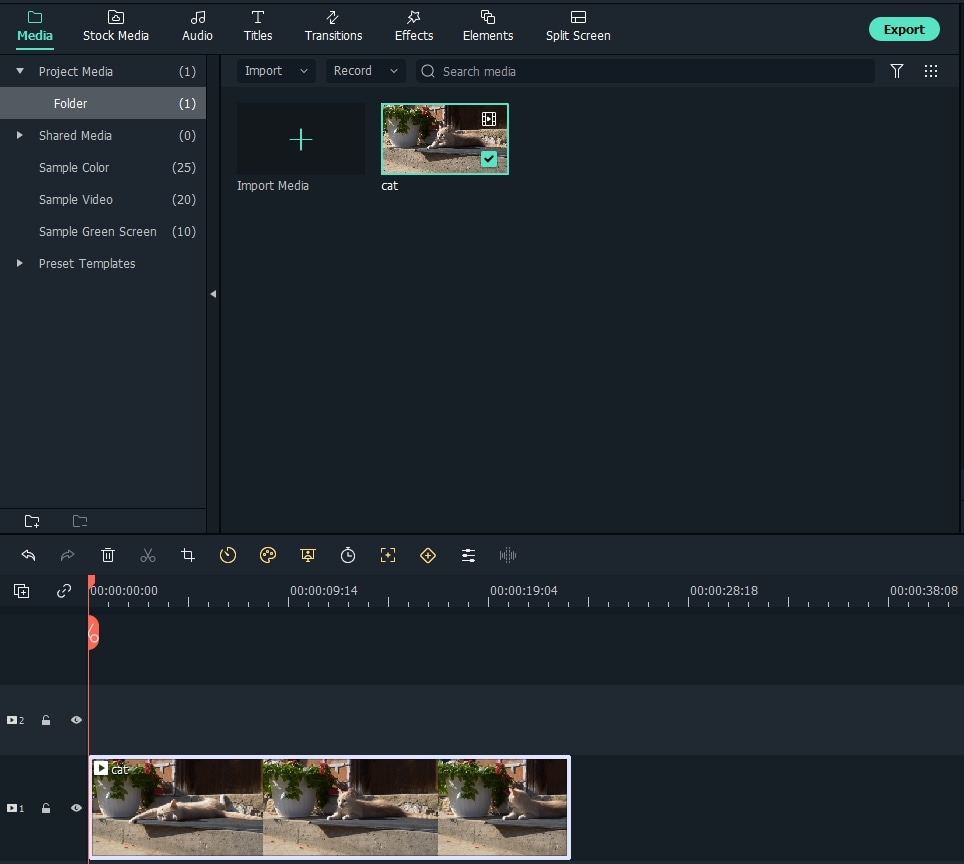
Optionally, you tin use the Split tool to make cuts in a video clip and remove parts you don't want to include in the final version of the video. When done, yous should right-click on each of the video clips you added to the timeline and select the Color Correction option. You tin can and so keep to fine-melody the Brightness, Dissimilarity, Saturation, or Highlights values depending on how vivid or vivid the colors in the original video are. This procedure can have a while, which is why it is important to exist patient and go through it slowly.
3. Add Romantic Filters and Elements
Filmora features Effects and Elements libraries that contain hundreds of unlike prototype overlays, filters, and predesigned elements you can add together to your project. You lot just demand to click on the Effect or Elements icons in the upper correct corner of the screen to start browsing these libraries.
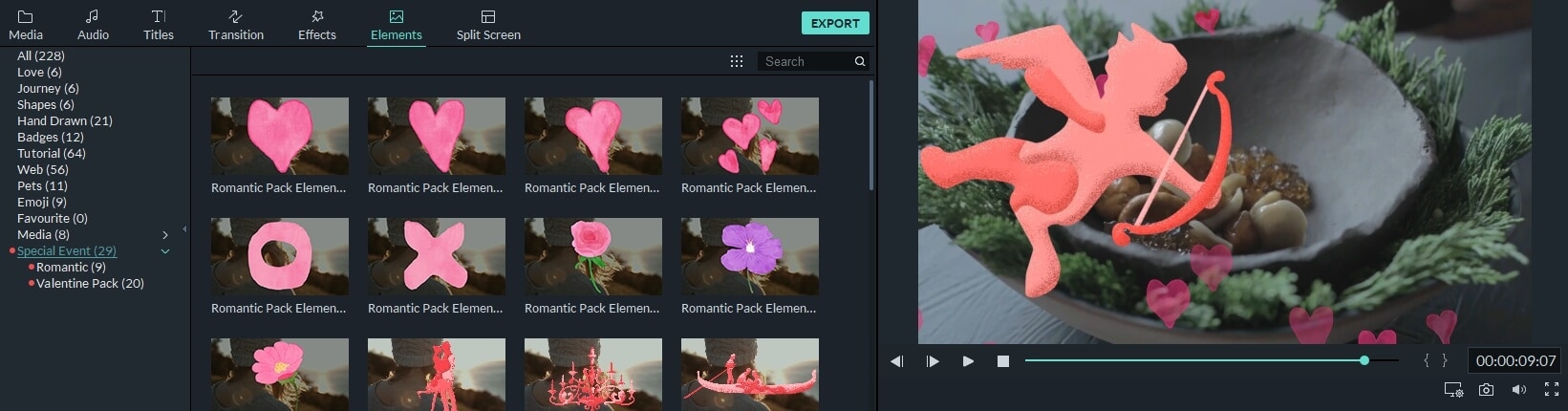
Once y'all find a romantic filter or chemical element you want to utilise to your footage, y'all should simply drag and drop information technology to the video runway that is located directly above the i on which your footage is located. Y'all should and so position an overlay, a filter, or an element at the exact spot where you desire them to appear in your video.
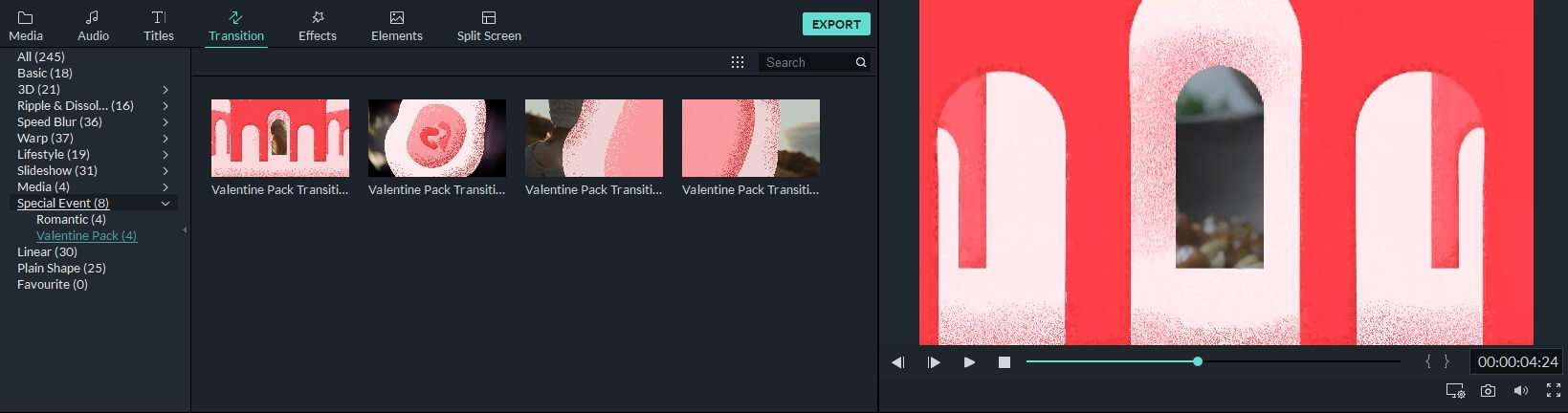
In case you want to adjust the intensity of an consequence you applied you should just double-click on it then employ the Blastoff slider to suit the effect's intensity. Double-clicking on an chemical element you lot placed on the timeline volition grant you access to the Video tab where you tin rotate it, change its on-screen position, or ready its Opacity value.
4. Apply Text Layers
The Titles tab contains more than a hundred different Openers, End Credits, or Titles options you tin employ in all of your projects. Simply pick the one that best matches the mode of your video, then add together it to the timeline and double-click on it in lodge to starting time customizing it.
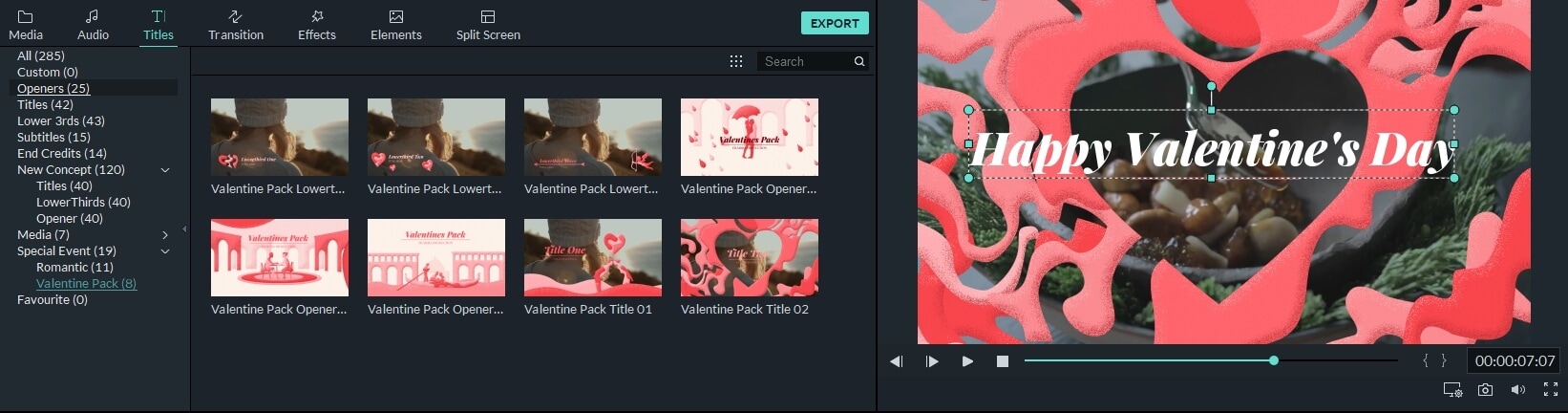
Once you insert the text, yous tin choice the font, color, or this size of the text, as well every bit set the spacing between ii lines of text. Optionally, you tin can use Filmora'southward Advanced Text Edit window if you want to have complete control over all layers of text you add to your video.
5. Create the Soundtrack
Music will give your video the rhythm and information technology will brand it more entertaining to lookout, which is the reason why you shouldn't skip this step. In example, you already take an audio file you would like to utilise every bit a soundtrack for your Valentine'south Day video, you tin import it into Fimora the aforementioned mode you would import a video file. You lot tin can then add information technology to an audio track and adjust its duration so that information technology matches the duration of the entire video.
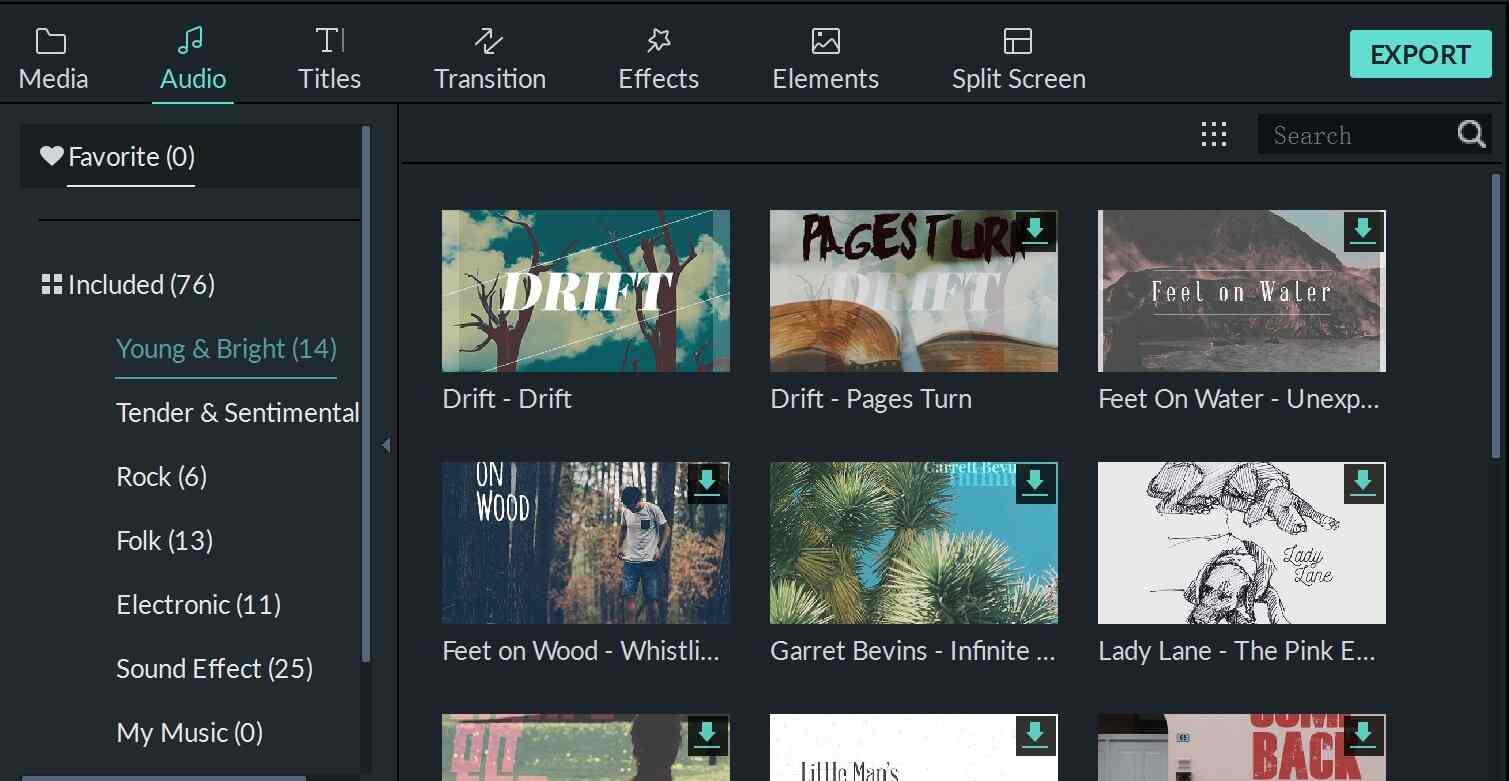
You can also apply Filmora's library of royalty-gratuitous songs to create the soundtrack for the video you are making. Just head over to the Audio tab, pick a song from Electronic, Stone, or Tender & Sentimental categories, and add it to the timeline.
6. Consign the Video
When done with all these steps, you should preview the video y'all've created and if you like the results click on the Export button. You tin so proceed to select the video format in which your video is going to be exported, choose the preferred resolution or the frame rate.
Furthermore, Filmora lets y'all consign all videos directly to your YouTube or Vimeo channels, which can save y'all a lot of time on uploading videos to these video hosting platforms. Nonetheless, how long the rendering process is going to take depends on your estimator's processing power.
Creating Videos with Valentine Video Maker for Android
If you find the process of making a Valentine's Day video on Mac and Windows computers a chip too technical, then an app like Valentine Video Maker that lets you edit photos and videos from your Android telephone is the perfect option for yous. You can install the app for free and use its video editing tools to combine photos and video clips into a captivating Valentine's Twenty-four hour period video.
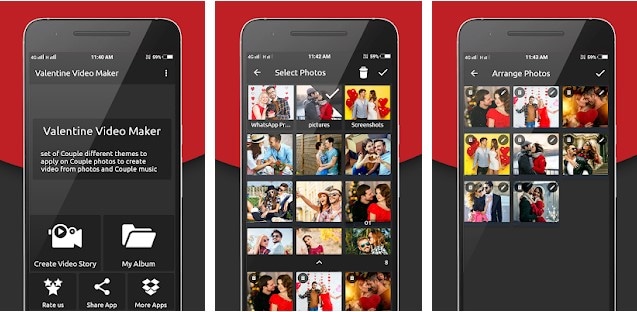
Creating ho-hum move or fast forward videos is still some other option you'll have at your disposal if you cull to edit your videos with this app. The best part is that y'all can create a new video with Valentine Video Maker in just a few minutes and share it on social media.
Using Valentines Video Greetings Maker on iPhones
Even though there are lots of unlike video editing apps for iPhones, very few of them enable their users to create customized Valentine's Mean solar day letters. Then if you would like to surprise the person y'all love with a cute Valentine's Twenty-four hours message, you should install Valentines Video Greetings Maker on your iPhone.
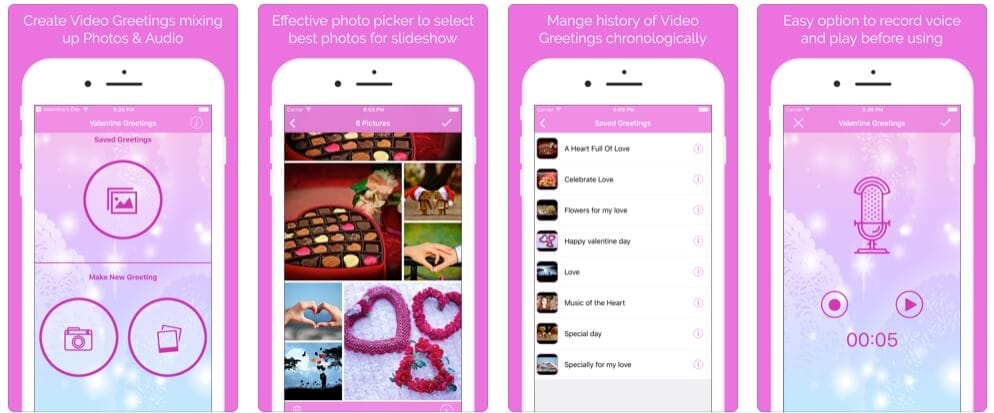
The app lets you combine an unlimited number of images or videos and record your own customized voice bulletin to accompany the video yous created. Each video greeting you create can be shared on social media with a single tap or sent direct via email. Keep in mind that yous must make an in-app purchase in order to be able to save your video greetings to the Photograph Gallery.
Determination
Making something special for the person you dear is going to make this year's Valentine's Twenty-four hour period a day to remember. All you need to reach this is a video editing software like Filmora and a great idea for a Valentine's Day video. Are y'all going to brand a Valentine's Day video for your pregnant other this yr? Leave a annotate and share your opinions with us.
DOWNLOAD HERE
Posted by: richiethren1956.blogspot.com


0 Comments