Cd Dvd Burning Software for Mac Free Download
Wondering which is the best DVD burning software for Windows 10 to fire data on the DVD? Keep on reading to find out.
Burning data on DVD is certainly old school but still in utilise because of advantages similar the longest data storage capability, thereby serving equally an indispensable backup medium to shop important data files for a longer period of time.
Earlier Windows DVD Maker used to support bones disc burning functions but this facility is unfortunately no longer available.
With the advent of engineering, all-time free DVD burning software has been adult that can offer the disc called-for role along with other advanced features. From the ocean of apps, you can select a software that is compatible with the OS of your PC, supports a huge range of video formats, and too suits your other needs.
Therefore, to assist you lot find the right tool, we accept curated a list of the 15 best DVD burning software in this commodity.
List of Best DVD Burning Software For Windows PC
With the all-time DVD burner software, you can hands burn audio, image, and video files to CDs, DVDs, and Blu-ray discs and store them deeply for a long fourth dimension.
i. BurnAware Costless
Compatibility:- Windows XP, Vista, 7, 8, eight.1, or 10
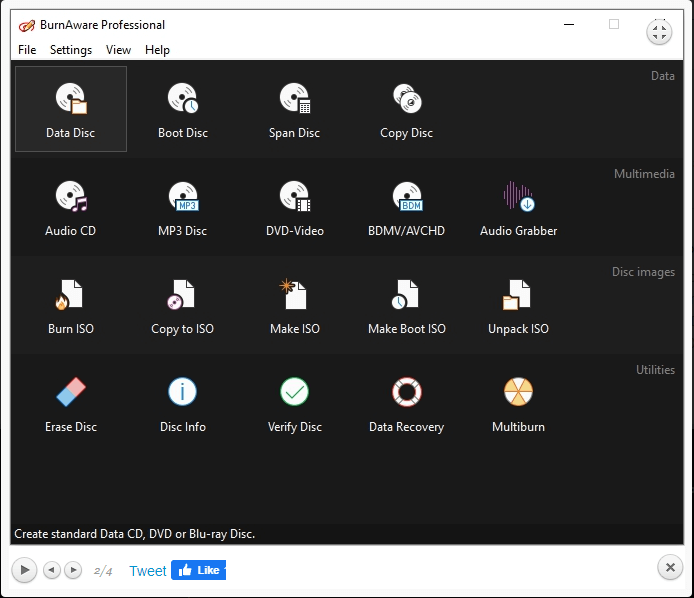
If you are looking for the best DVD burning software with efficient features and enhanced information editing capability, then get for BurnAware Gratis. Users tin write all types of files such every bit digital photos, documents, athenaeum, music, and videos to CDs, DVDs, and Blu-ray Discs.
Read Also: Best Free DVD Ripper Software for Windows ten
Key Features:
- It lets you create high-quality bootable and multisession discs.
- The tool can also assistance in extracting audio tracks.
- You lot can erase and verify information easily.
- Copy and backup discs, and burn ISO images with this tool.
- It can even recover data from the multi-session or unreadable discs.
Pros
- Easy and Make clean interface
- Absolutely free for personal use
- Over-loaded with lot of ultimate options to fire files
- Stable burning process
- Low CPU usage
- Multilingual
Cons
- Not free for commercial use
- Connects with third party software
2. AnyBurn
Compatibility:- Windows 7, 8, 10 and Linux
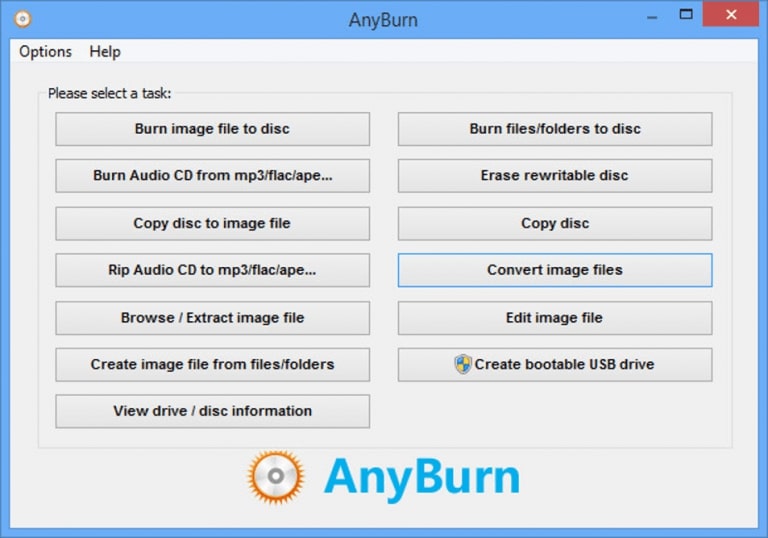
Our next pick is AnyBurn in the list of best complimentary DVD burning software for Windows 10 as it is i of the best freeware available in the market place.
This tool is light on resources, however it doesn't deter it from supporting some professional features that are difficult to find even in another significant freeware tools.
Primal Features:
- Has a responsive UI.
- Supports burning all kinds of disc types and all sorts of formats.
- Available in a fully functional portable version.
- Lets you burn down folders, files, images, etc.
Pros
- Ad free
- Lightweight DVD burning software
- 100% free for both home and business concern use
- You can hands convert disc image files betwixt numerous formats easily and quickly
- Compatible with both 32-flake and 64-bit Windows
Cons
- Sometimes lags in terms of working
- Non the best interface
three. CDBurnerXP
Compatibility:- Windows XP, Vista, 7, 8, 10, and Windows 2000
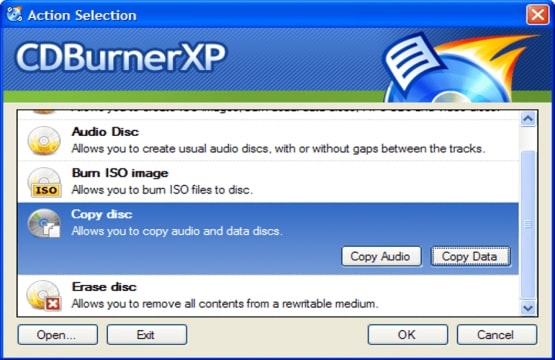
This is an excellent free DVD burning software for Windows . Information technology has a simple, multi-language UI and is lightweight. There is an in-built music player and also lets you add tracks directly to the compilation list without the need to rip them first.
Key Features:
- The tool supports burning DVDs, CDs, Blu-ray discs, and HD DVDs.
- It lets you burn and create ISO files to CD.
- It supports rewritable discs and is capable of verifying data after completing the burning process.
- The tool can as well burn diverse types of file formats including MP3, AAC, WAV, OGG, etc.
Pros
- Supports many disc formats
- Completely free to utilize for everyone, even for companies also
- Equipped with lots of good features
- Compatible with multi-session discs
- Creates bootable discs
- Multi-linguistic communication user interface (UI)
Cons
- Interface looks outdated
- Video burning capacity is non and then good enough
4. InfraRecorder
Compatibility:- Windows x, viii, 7, XP and Vista
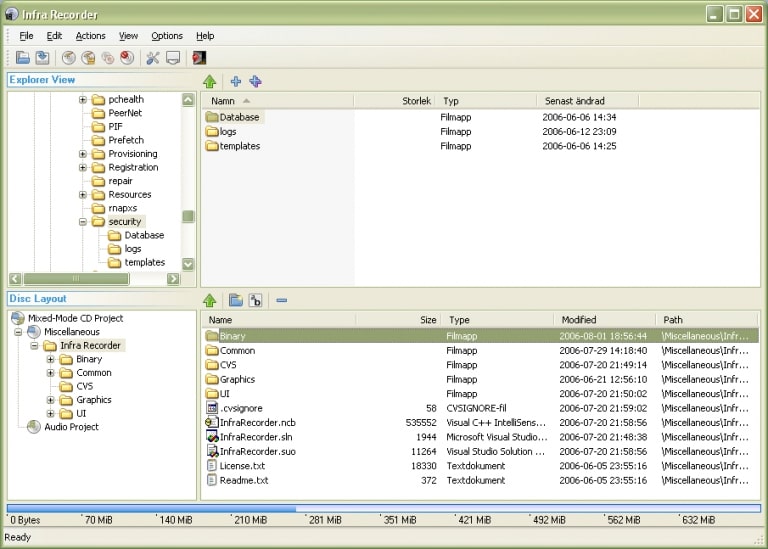
We take included InfraRecorder as our next tool in the list of best DVD burners because it lets y'all rewrite disks in more than than one way. With an interactive and simple UI, y'all can use this tool very hands. Let united states of america take a closer look at its offerings and features:
Key Features:
- You tin can record sound in WAV, WMA, OGG, and MP3 formats.
- Includes support of dual-layer discs.
- Lets you create ISO files of DVDs and CDs.
- You lot tin can erase rewritable discs with 4 dissimilar methods.
Pros
- Quick access and easy control
- Has the full support for dual-layer discs
- Completely gratuitous CD/DVD burning software
- Erases rewritable discs
- Detailed disc information
Cons
- Lacks the advanced features
- No regular software updates
- Customer back up is not then good
5. DVDStyler
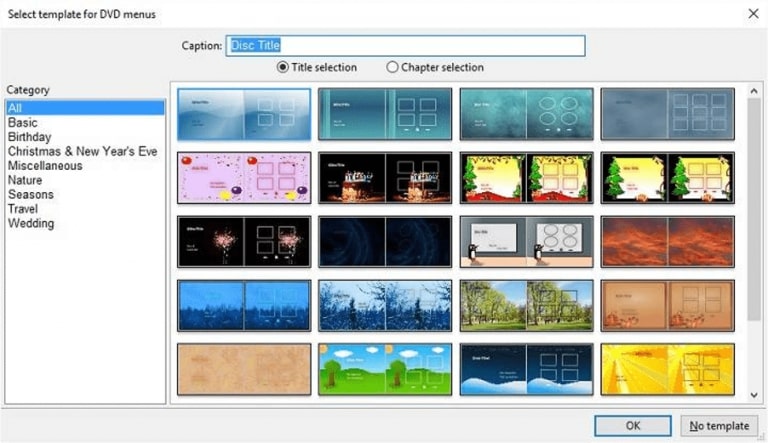
Compatibility:- Windows 10, 8, 7 and Linux
This is the best free DVD burning software for Windows 10 as it comes with a lot of menu templates. It doesn't support audio and focuses completely on the cosmos of video DVDs. Information technology is also enabled with cross-platform capability and is a Linux-based open-source freeware.
Cardinal Features:
- The DVDStyler installer comes with a copy of Avast Free Antivirus.
- You can create DVD menus easily with DVDStyler.
- You can customize the background, text, images, etc.
Pros
- Easy to apply interface
- Has a complete back up for multi-cadre processor
- Y'all tin can modify the colour, font size, font style and other parameters of graphic objects and buttons
- Constructive drag and driblet functionality
- Helps create photo slideshow
- Allows to add multiple subtitles and audio tracks
Cons
- Not skillful enough for professionals
- Bundleware
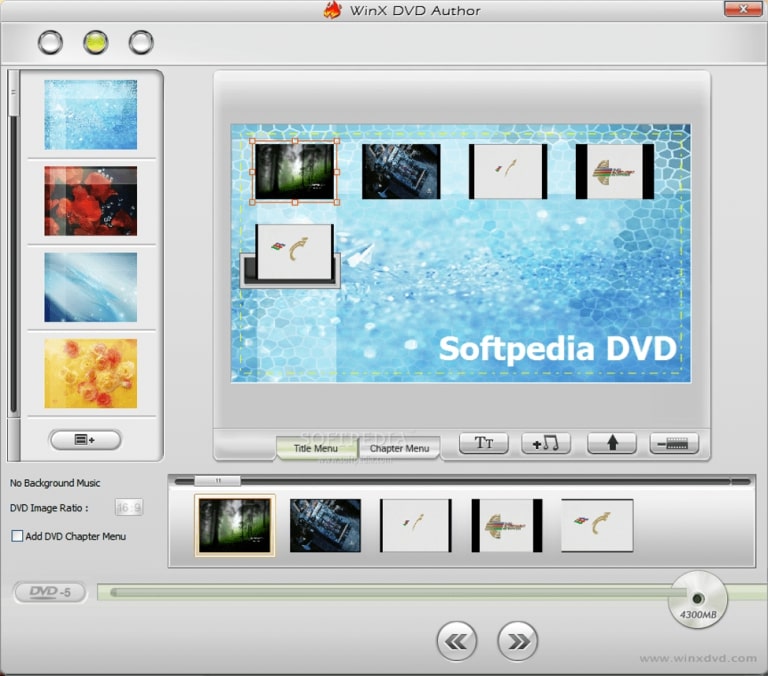
Compatibility:- Windows x
The DVDs burned with the aid of this all-time gratis DVD burning software for Windows 10 usually have a high output quality. It is enabled with a powerful in-congenital video encoder.
It also lets you add subtitles and can help you set the aspect ratio accordingly. This tool can help create video DVDs and burn data files into discs.
Central Features:
- It can easily convert video files into VOB format.
- It also helps to collect a number of VOBs to make a complete DVD with menus.
- WinX DVD Author offers a built-in tool to download videos from YouTube .
- This tool likewise supports basic video editing activities similar trimming.
Pros
- With this, you can design menus and add subtitles
- Quick access and extremely easy to utilize
- You lot can use it at no toll
- Accurate and stable
Cons
- Tin't create an ISO file
7. Ashampoo Called-for Studio Gratuitous
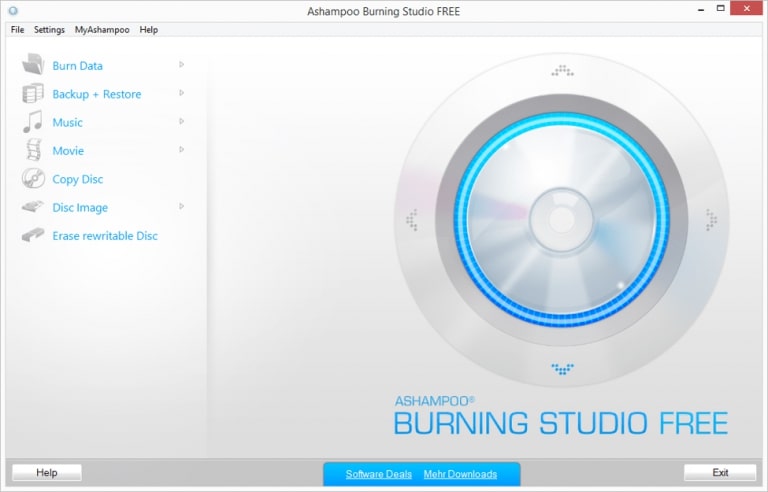
Compatibility:- Windows vii, 8, 10
Yous can do enough of tasks with this all-time DVD burning software like you tin can burn down and rip sound CDs, data discs, video discs, and Blu-ray discs.
It also comes with a scratch protection facility to create data discs which volition remain readable fifty-fifty after sustaining scratches and tampering. The built-in pinch helps to compress files hands.
Fundamental Features:
- It is enabled with an in-built video editor .
- You can also store and create countersign-protected backups of your data on discs and external drives.
- It also lets you lot burn HD and Full Hd movies (720p and 1080p) completely complimentary of price.
Pros
- You can fire multiple formats at a same time
- Free and fast disc burner
- Customizable burning settings
- Powerful backup technology
- Allows to burn ISO images also
Cons
- Interface is quite complex for beginners
- Free version has limited access
8. DeepBurner Costless
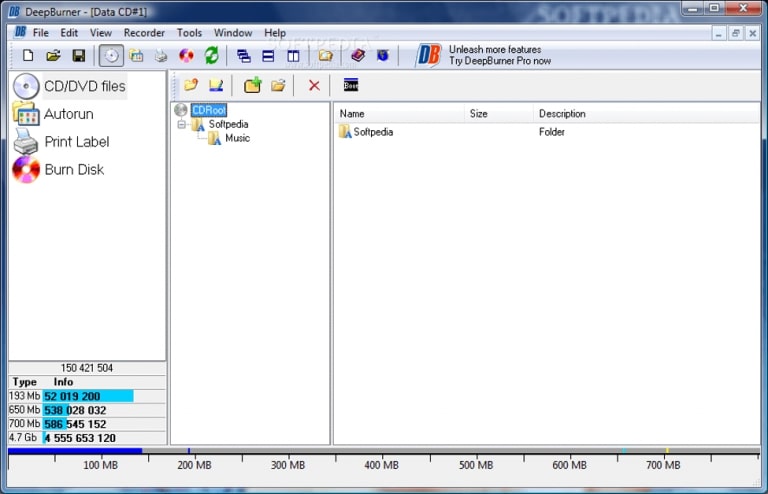
Compatibility:- Windows x
Existence another free DVD called-for software for Windows , this plan is bachelor as a portable app that makes it piece of cake to be carried on USBs and used across various systems.
Read More than: Best Costless DVD Player Software for Windows 10
Key Features:
- It tin be used to burn data CDs, audio CDs, DVDs, and bootable discs.
- This application can help create multiple disk copies.
- It also helps to handle external as well as internal CD/DVD writers.
Pros
- Tin fire CDs, Sound CDs, DVDs, and even a bootable discs
- Yous tin make multiple disc copies
- Create disc backups
- Ability to create video DVDs and ISO images
Cons
- Little bit tricky for newbies
- Not compatible with the older versions of Windows
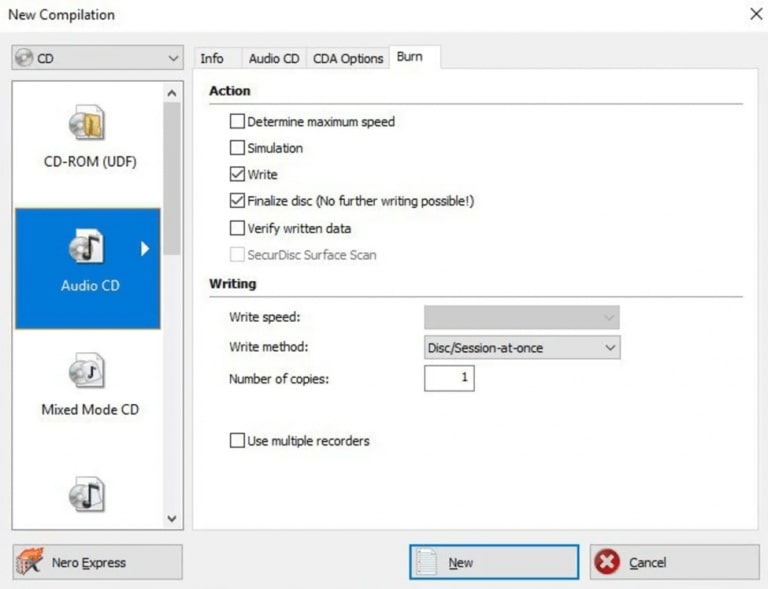
9. Nero Called-for ROM
Compatibility:- Windows 10, 8, 7
This best free DVD burning software has been in business for quite a long time and is highly suitable for professional utilise. This software has an intuitive interface with advanced features. The burning process is very fast with this tool.
Key Features:
- It can be used to re-create CDs, DVDs, and Blu-ray discs.
- It offers a SecureDisk feature with password/digital signature protection.
- The DiscSpan feature allows spreading excess content into other discs.
- The app as well offers tech back up via live conversation.
Pros
- Easy and fast admission
- Has a loads of DVD burning options
- Highly capable to burn every kind of media and file
- SecurDisc iv.0 technology for data protection
Cons
- The interface seems outdated
- No free version available
Compatibility:- Windows 10, eight, 7, XP, Vista and macOS.
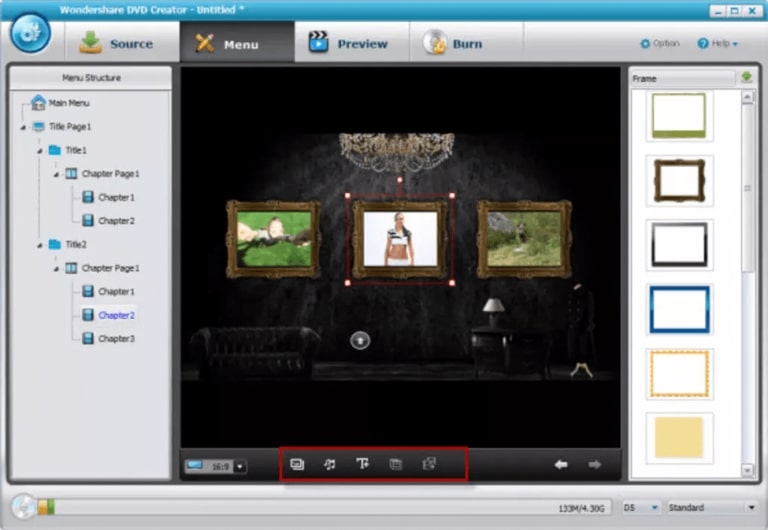
This is a complete solution for mitigating all DVD related bug and hence nosotros accept put it in our list of best DVD burner software . With an bonny UI, you can use this tool to burn down videos in 150 formats to DVD/Blu-ray disc/folder/ISO, etc. It is ideally a video converter tool that helps in burning CDs and DVDs.
Key Features:
- It allows you to edit DVDs with the congenital-in video editor like trimming, cropping, adding watermark, and besides calculation subtitles.
- It also supports called-for music to CD.
- Y'all can burn the data disc for backup.
Pros
- Attractive user-interface
- Equipped with built-in video editor
- Fill-in and Restore functionality
- Tin burn videos in more than 140 formats
Cons
- Complicated interface for beginners
11. IMGBurn
Compatibility:- Windows
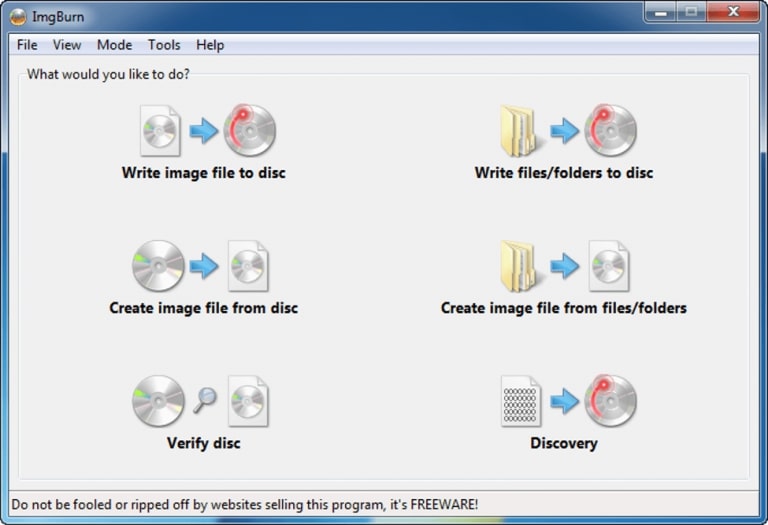
If you are even so in search of a complimentary DVD burning software for Windows , and then IMGBurn is worth trying every bit it burns data and files instantaneously. The awarding is likewise capable of verifying if a disc is 100% readable and it can also exist used to compare an image file to ensure if the data is correct or non.
Read More: Best Windows 10 Customization Software
Key Features:
- Information technology also supports Unicode folder/file names.
- It supports discs with dissimilar sorts of formats.
- With advanced features, the tool can exist customized hands.
Pros
- Simple and ease navigation
- Tin be accessed by anyone
- 100% costless
- Lightweight CD/DVD/Blu-ray called-for software
- Supports multiple image file formats
Cons
- No extra features
- Non so good interface for professionals
12. True Burner
Compatibility:- Windows ten, viii, vii, XP and Vista
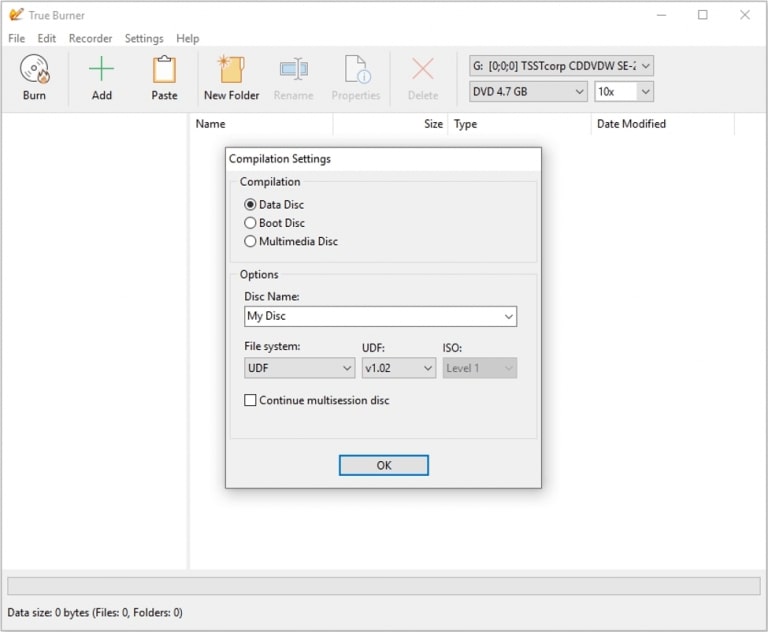
This is an like shooting fish in a barrel-to-employ free DVD burning software for Windows that can fire standard and multisession CD/DVD/Blu-ray discs. It is a lightweight app with an attractive interface.
It is capable of checking written files and discs for errors and can also erase rewritable CD, DVD, and Blu-ray discs effortlessly.
Key Features:
- It supports burning bootable CD/DVD/Blu-ray discs.
- You can create data, audio, and video discs easily.
- The tool is easy-to-utilize.
Pros
- Can burn multisessions and standard DVDs, CDs, or Blu-ray discs
- Lightweight application
- Highly capable of validating discs for errors
- Absolutely gratuitous for personal employ
Cons
- The interface looks outmoded
- For company use, you need to buy its professional version
13. Express Burn Plus Edition
Compatibility:- Windows XP, Vista, 10, eight and 7
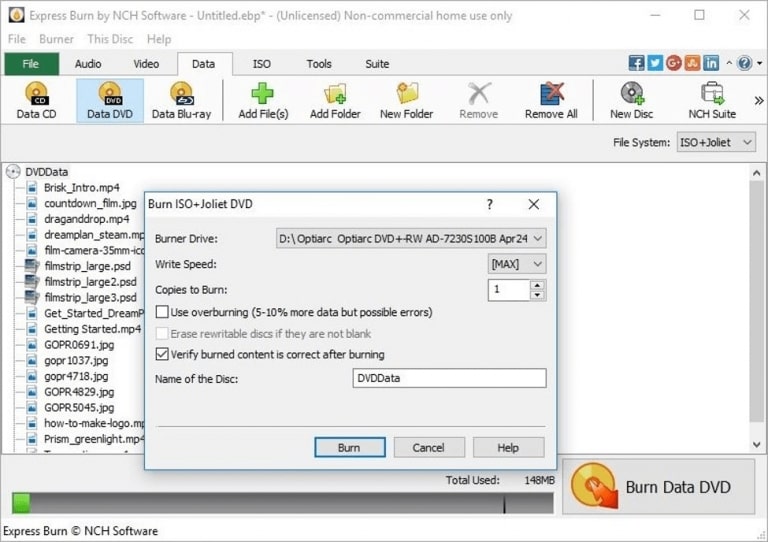
Express Burn disc burning software comes with a user-friendly interface that provides quick and easy access to all the features and tools that are needed to create and record discs easily.
This super-fast, user-friendly best gratuitous DVD burner tool burns audio, video, and information files to CD, DVD, or Blu-ray.
Read More: Best Driver Updater Software for Windows PC
Cardinal Features:
- It is enabled with a myriad of advanced features for automation.
- Supports integration with other applications.
- It also supports dual-layer DVD/Blu-ray burning.
Pros
- Directly drag & drop files into the application
- Highly uniform with dual-layer DVDs
- Extremely fast disc and ISO burner
- Custom DVD authoring
- Allows to make bootable information discs
Cons
- Might confuse the newbies
- Free version merely allows to burn CDs
14. DVDFab DVD Creator
Compatibility:- Windows 7, 8, 8.one, 10, and Mac
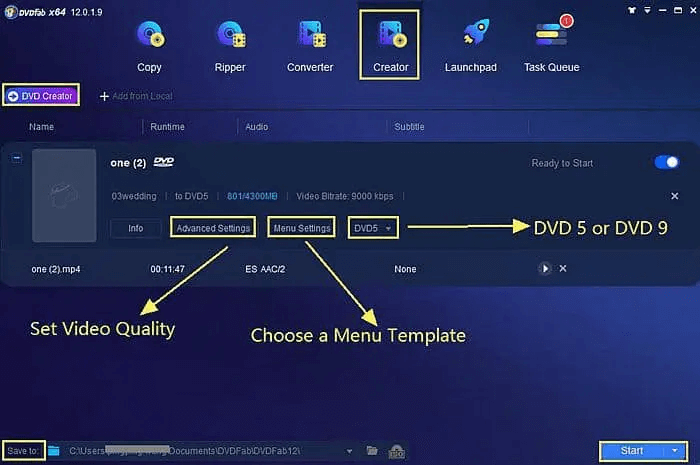
This DVD burn software is free to use for Windows and Mac. Information technology offers a bang-up features list which makes the software a great performer. In the software, you become features like a copier, rippers, and converter. Using the software you tin hands convert from Blu-ray, 4K Ultra HD, and DVDs hands. Autonomously from the offerings, the software has a very piece of cake-to-use interface. Once you launch the software you accept to click on the Creator pick, then choose DVD Creator mode and at concluding + push button to add videos. By looking at the user review this software can be considered as the best free burning software for Windows x and older versions.
Key Features:
- Y'all tin can hands fire DVD discs to popular formats easily
- The free version can read all major file formats
- The software will be copied in 1:1 file input
- It offers a carte that is fully customizable according to requirements
Pros
- Easy to conform interface
- Hands create audio DVD in a mainstream format
- All major file formats supported
- Free trial available
Cons
- Not bachelor for older Windows OS
fifteen. Roxio Easy

Compatibility:- Windows 7, 8, and 10
Roxio Easy is another complimentary DVD burner for Windows 10 and older versions. The software has a free trial of 30 days, later which you need to purchase the premium plan to use this software. Though as compared to other software the premium version has a cheap price which is affordable. Other than this the software is really easy to operate. It requires you to follow 3 simple steps to burn down files easily.
Key Features:
- This DVD burner programme allows you lot to burn down videos to DVD for gratis
- It offers various editing features like trim, add together transition and raise color
- Yous can hands create a backup on several discs
- You tin burn down MP4 with menus and capacity easily
Read More: fifteen Best Context Menu Editors For Windows ten
Pros
- Simple UI
- Gratuitous trial offered
- Easy to backup data
- Video editing features
Cons
- Not compatible with older versions
- UI feels outdated
Ofttimes Asked Questions
Q1. Does Windows 10 offer a DVD called-for software?
Yeah, Windows 10 includes an in-built CD/DVD burning characteristic in the File Explorer. The File Explorer pops open up equally shortly as you insert the DVD, CD, pen drive into the organisation.
You can burn MP3, WMA, WAV, AVI, MP4, MKV, WMA, FLV, etc. files into the DVD disc with the File Explorer.
Q2. Differences between Windows 10 DVD burner and third-party DVD burner software
The major difference that can be observed betwixt Windows x DVD burner and 3rd party DVD burner is that users get express options for called-for in the built-in DVD burner. Whereas on the other hand, the third-political party software offers loads of features that can be useful in burning DVDs.
Q3. Tin Windows Media Player be used to burn a DVD?
With Windows Media Player, you can certainly burn DVDs only the but limitation is that it can only be played on computers and DVD players that support such file types which you have burned into your disc.
Q4. Is the burning of a DVD a legal process?
Yes, the process of bruins DVD is legal. The copyright constabulary allows the distribution of copyrighted material by the copyright holder. Though, it is non immune to burn CDs and pass the copy to others.
Conclusion
You take hopefully found the all-time DVD burning software for Windows from this article that tin can assistance you perform the solar day-to-day tasks easily.
You can likewise have help of the File Explorer in Windows to burn files into discs. However, third-political party DVD burner freeware offers enough of customized advantages with a myriad of features and benefits.
Do allow us know if you have any other suggestions for free burning software that we might have missed to mention in the commodity above.
Cd Dvd Burning Software for Mac Free Download
Posted by: richiethren1956.blogspot.com


0 Comments